I always used to wonder if older games just automated their dithering. IT TURNS OUT that back in the 1990s, strict colour limits led to an interesting split/debate between automatic tools and artists doing it by hand.
To get around hardware limitations, game devs either used computer algorithms to automatically downsample high-colour renders or had pixel artists manually place pixel patterns to trick CRT monitors into displaying smooth gradients.
Lately, I've been trying to draw more pixel art manually, and also paint dithering manually!! Last year in 2025, I relied on resampling methods for my existing digital drawings. So if you notice a huge improvement, I'll explain a bit here, long story short, it's mainly because I switched softwares.
(Yapping: Between working on 3D commissions, I started using GraphicsGale to polish my low-poly UV textures. A lot of artists use online PSX filters, but they just don't feel authentic to me?? And when I zoom in on them the quality is slightly blurry).
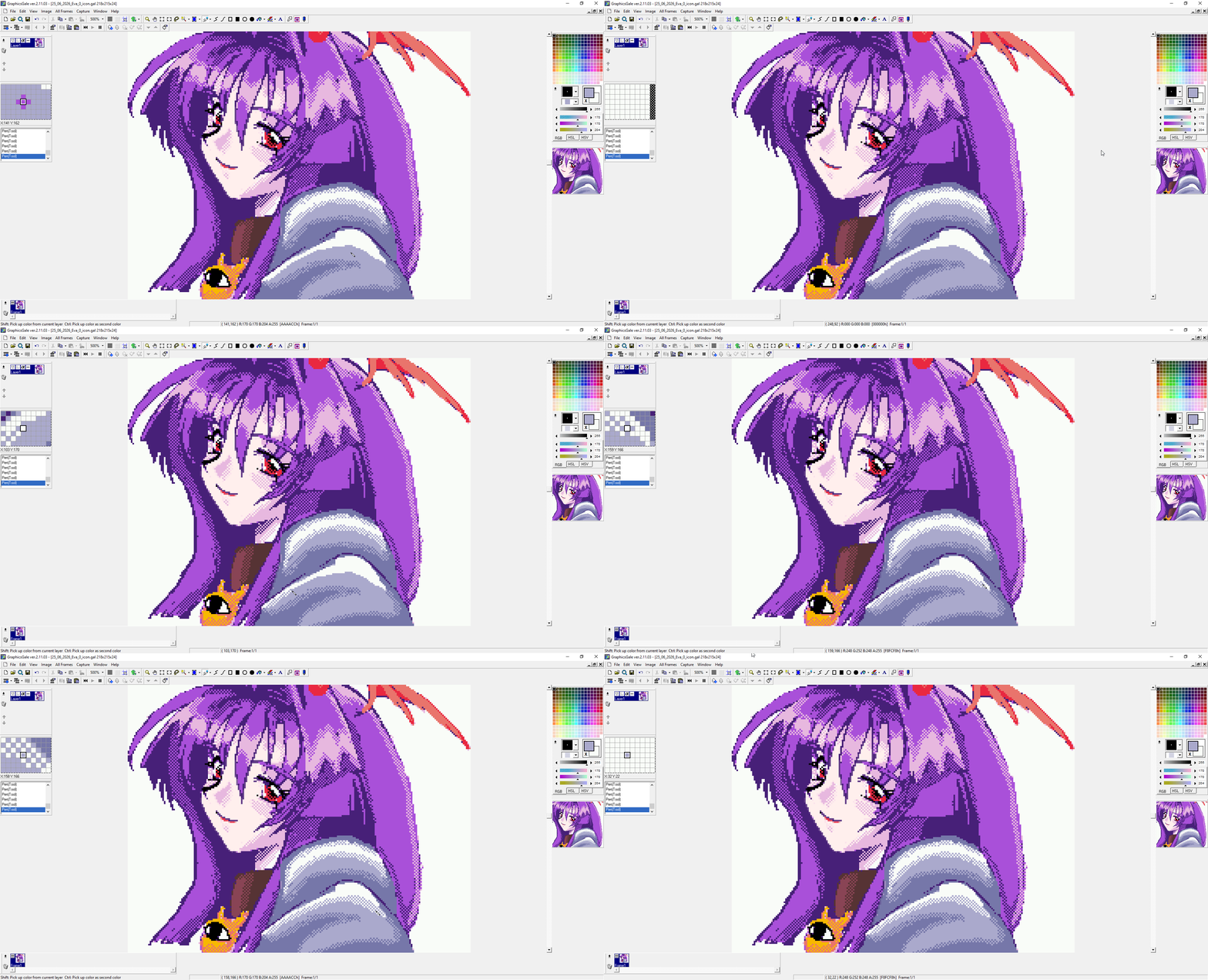
The default brushes in GraphicsGale are SO brilliant to work with!! While I was looking at 2000s-era pixel art, it was interesting to see how many artists used the software back then. I learnt that the software originally was paid and eventually became completely free!!
Most of those artists (from what I noticed) eventually migrated to Aseprite, making this a bit of a reverse journey for me. Painting in Aseprite never quite clicked for me, though the animation timeline is user friendly and remains a regular part of my Workflow!! So now for actual painting, GraphicsGale still feels much better. I’m so curious if there’s many artists still using it today?
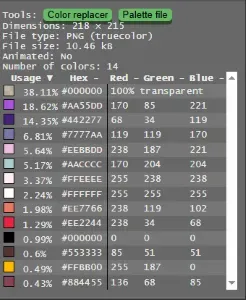
While I was reviewing the PixelJoint submission guidelines, the PJ Image Inspector tool seemed to be quite useful for me, for checking colour palette control. My finished piece uses 14 colours. Hopefully, the manual pixel placement meets the gallery requirements~
My inspiration
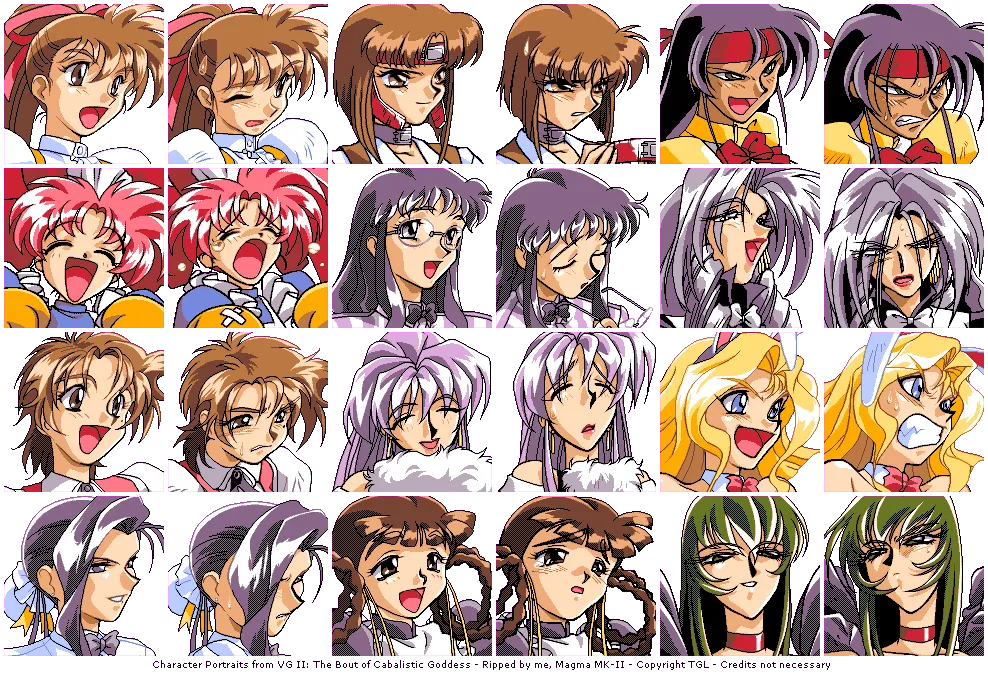
My piece is a study of the character portraits from VG II: The Bout of Cabalistic Goddess. Although the style of faces differs from my usual work, the goal was to understand how to emulate this style!!

I’m quite pleased with the result, it was a great learning experience and I'll probably apply this technique to my future work. Actually ArtFight is coming up in July (here is a link to my account) . My 2026 goal is to improve at backgrounds, UI elements, and pixel food!! Backgrounds HAVE always been a weak point, so I’m paying closer attention to what reference material I use.
The final result can be found posted here:
References and Image Credits
- Magma MK-II. (n.d.). Character Portraits from VG II: The Bout of Cabalistic Goddess [Digital rip]. Uploaded to The Spriters Resource. Retrieved from https://www.spriters-resource.com/nec_pc_9801/vgiitheboutofcabalisticgoddess/
- pinkfiremage. (2026). 【 OC】Eva Bladewing [Digital artwork].
- Yanrishatum. (n.d.). PJ Image Inspector v2.0 [Web utility]. Frontend by Blueberry_pie, original concept by Hatch. Retrieved from https://www.linneart.com/pj/
- Emulation General Wiki. (n.d.). Dithering [Wiki page]. Retrieved from https://emulation.gametechwiki.com/index.php/Dithering
- Shmuplations. (n.d.). Akira Yasuda Capcom Developer Interview [Translation archive]. Retrieved from https://shmuplations.com/
- Wawro, A. (2015). Lucas Pope and the rise of the 1-bit 'dither-punk' aesthetic [Article]. Game Developer. Retrieved from https://www.gamedeveloper.com/
- Retro-Sanctuary. (n.d.). Video Game Dithering [Article]. Retrieved from https://retro-sanctuary.com/