Hello, and welcome back to another blog! I'm listening to the song HELLO AGAIN by Kazuhito Murata , how funny is that lolol! I'm so grateful for all the support and questions about my pixel works.
Social media algorithms don't always show my old tutorial posts to people who want to see them. I started this blog as a permanent, searchable archive so people do not have to dig through my media tabs.
When I was younger, I spent years trying to figure out how to get this retro style. My earliest pixel attempts were quite corny. This took a long time, so having a dedicated space to help others learn this workflow means a lot to me.

Today, I want to share how I made the animated pixel banner of my OC. It has more moving parts than a basic eye-blink animation, so it was a fun challenge to coordinate.
My inspiration
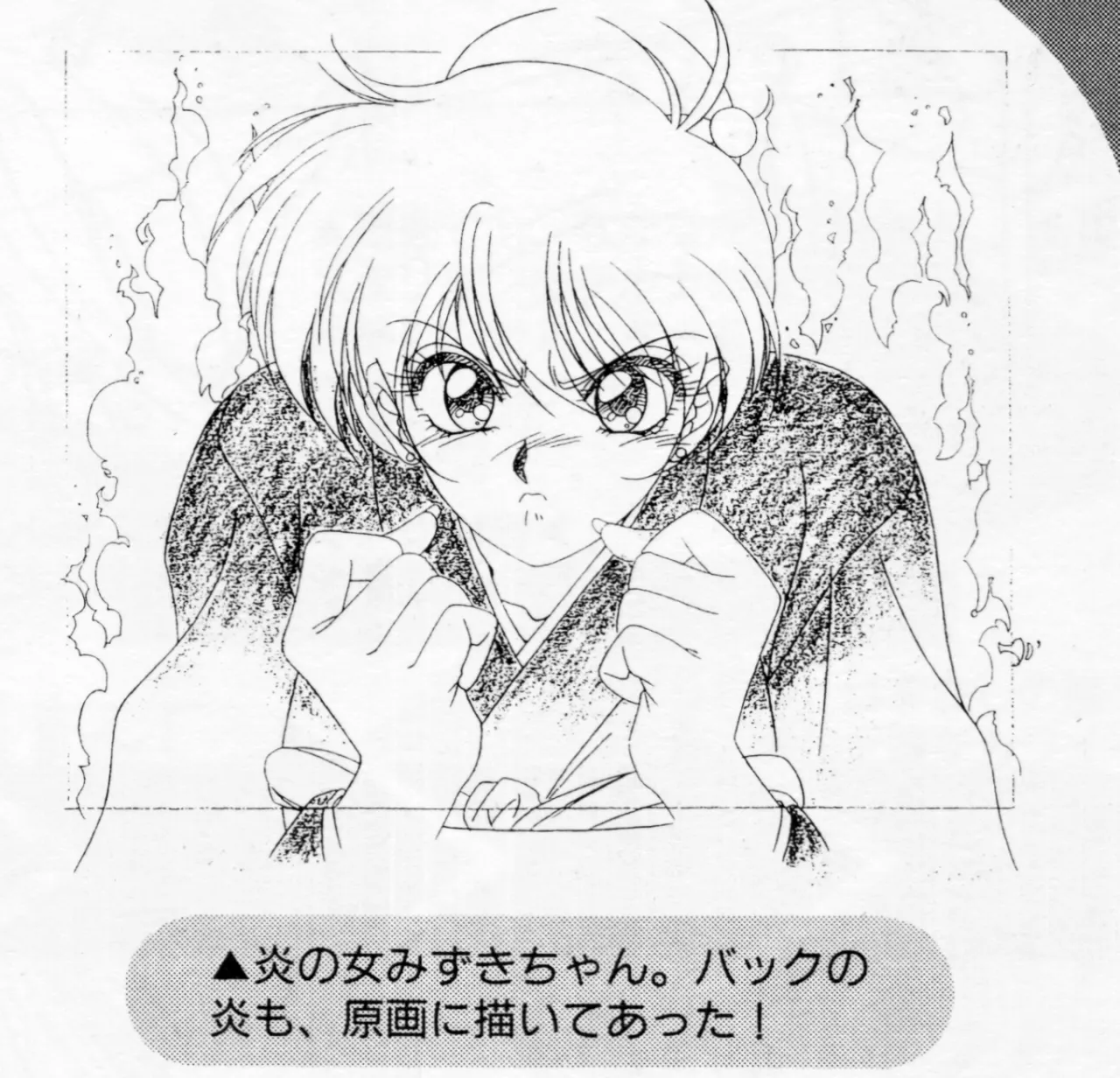
I always loved reading those Tumblr blogs that share retro anime and game archives. In 2023, I saw a post on Game Vecanti showing the settei (production model sheets) for Jan Jaka Jan here.

Later I remembered, I saw decadot post an animated GIF of that exact same CG here.
The connection between a static drawing and the final output got me curious about how the process worked. I took inspiration from the fire animation and background it had, and developed this idea.
Step 1: Canvas setup and drawing
I drew this piece on a 1920x1080 canvas. I originally planned to use it as a "stream starting" screen on Twitch, but I eventually decided to use it as a profile banner instead. Any large, high-resolution canvas works well.
I drew my artwork in Clip Studio Paint, as I am much more confident drawing in CSP. Because I wanted different parts of the character to move, I kept those moving elements on separate layers. To save time, I redrew frames only where necessary, moving or rotating the existing layers back and forth!
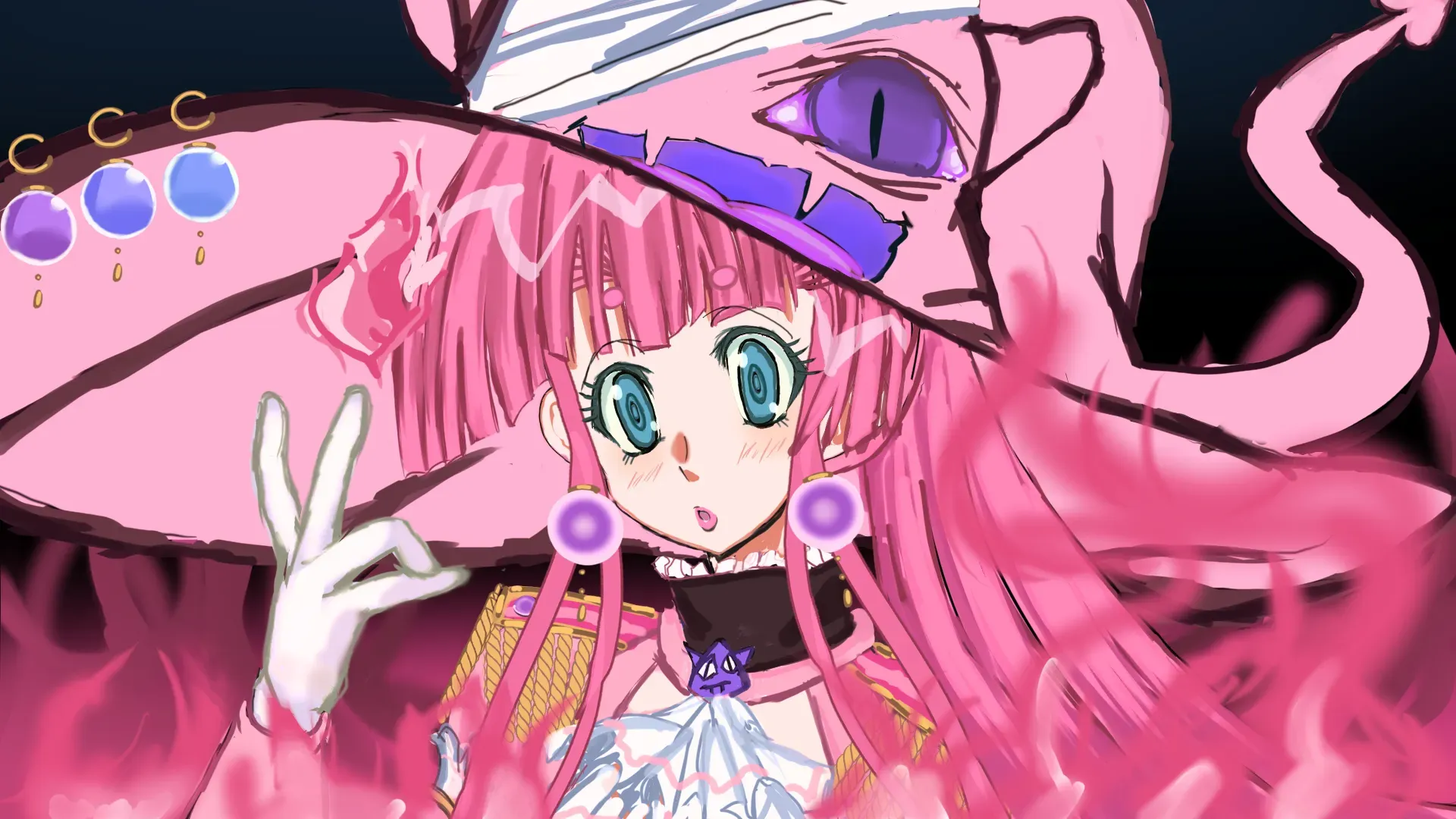
When drawing for this style, I used bold outlines and clean edges. I remembered after weeks of experimenting that details easily kept getting lost.
Step 2: Animating in Aseprite
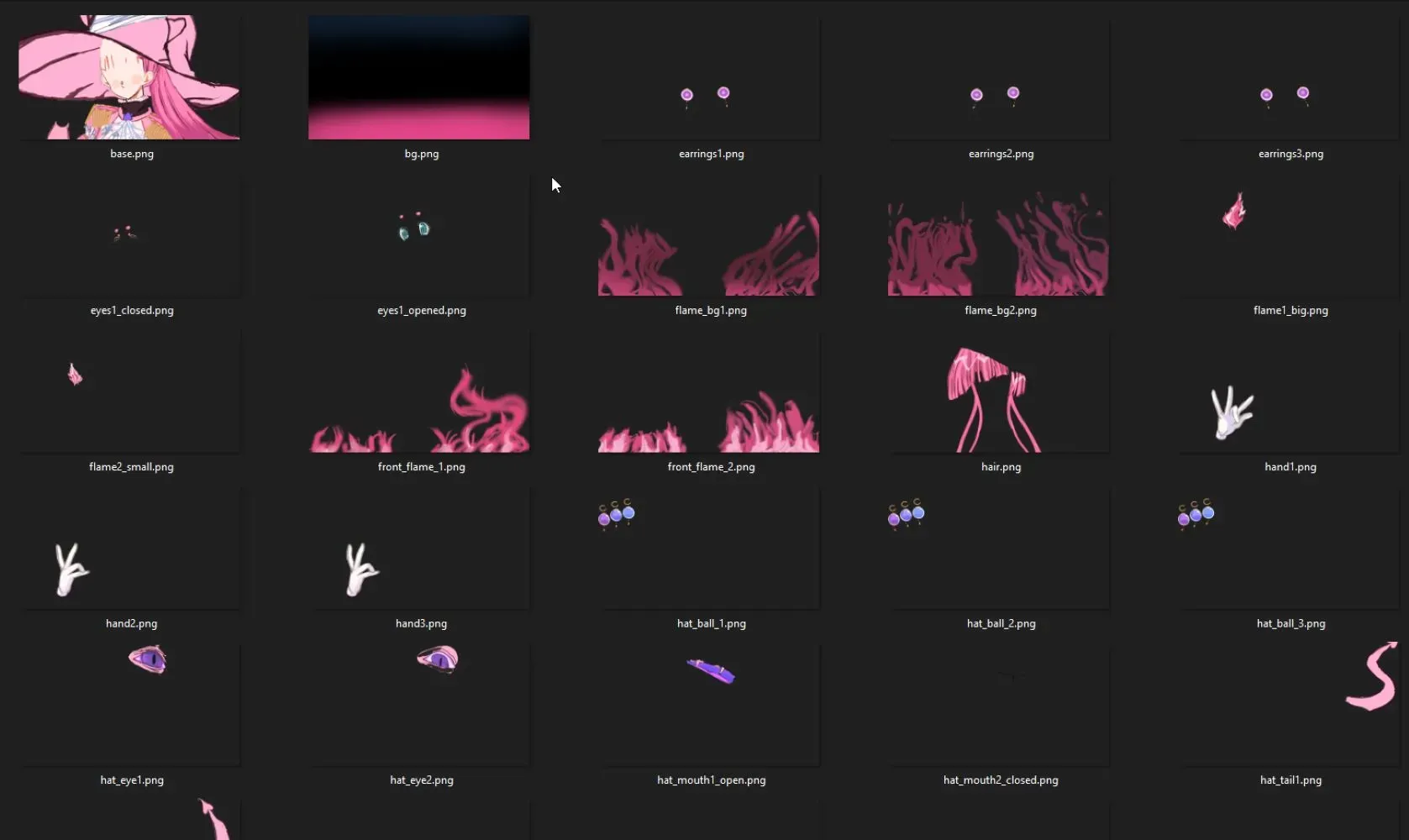
Once the layers were finished, I exported them as separate files and imported them into Aseprite. While I prefer Clip Studio Paint for painting, Aseprite is incredibly straightforward to use for animation.
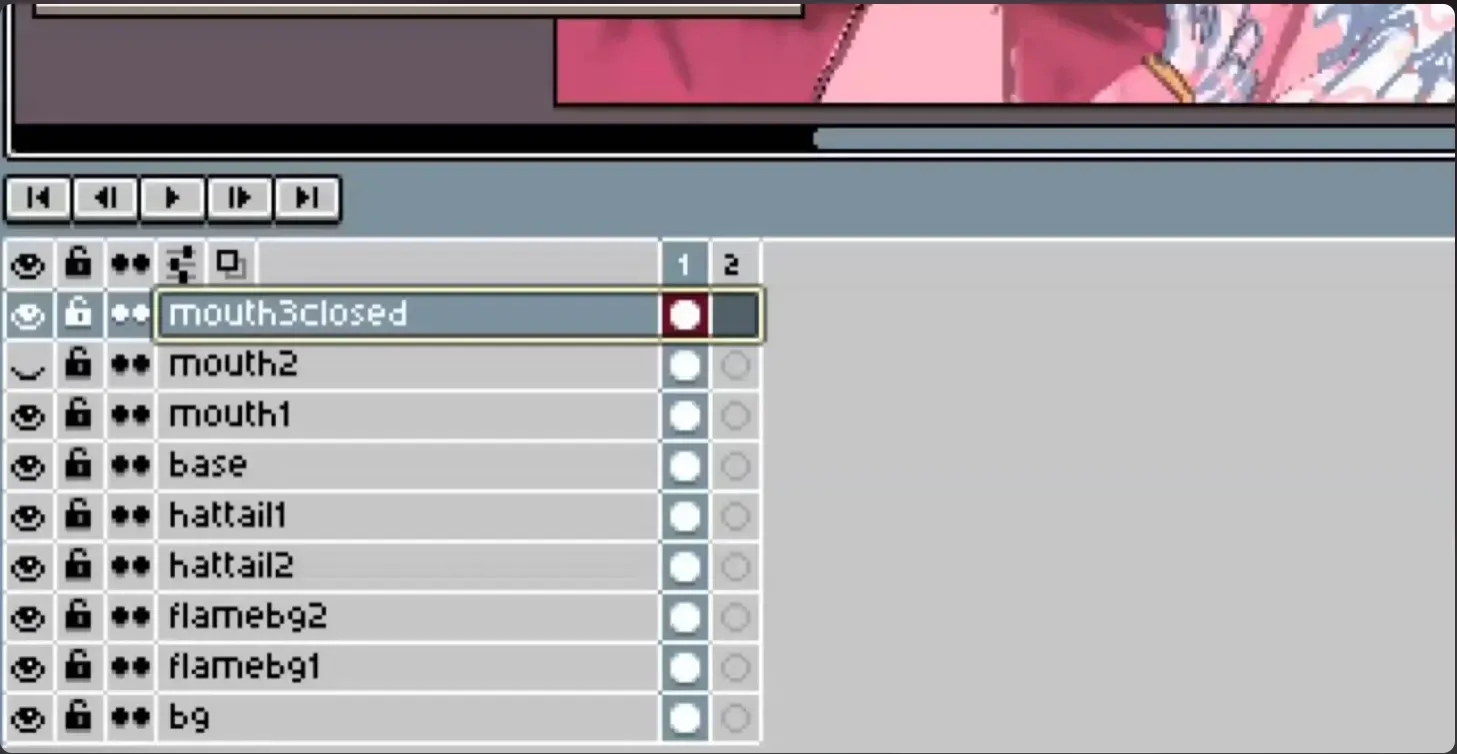
My workflow changes depending on the project, but the basic process involves hiding and showing the separated parts frame-by-frame. For a detailed look at the timeline, check out my YT short .
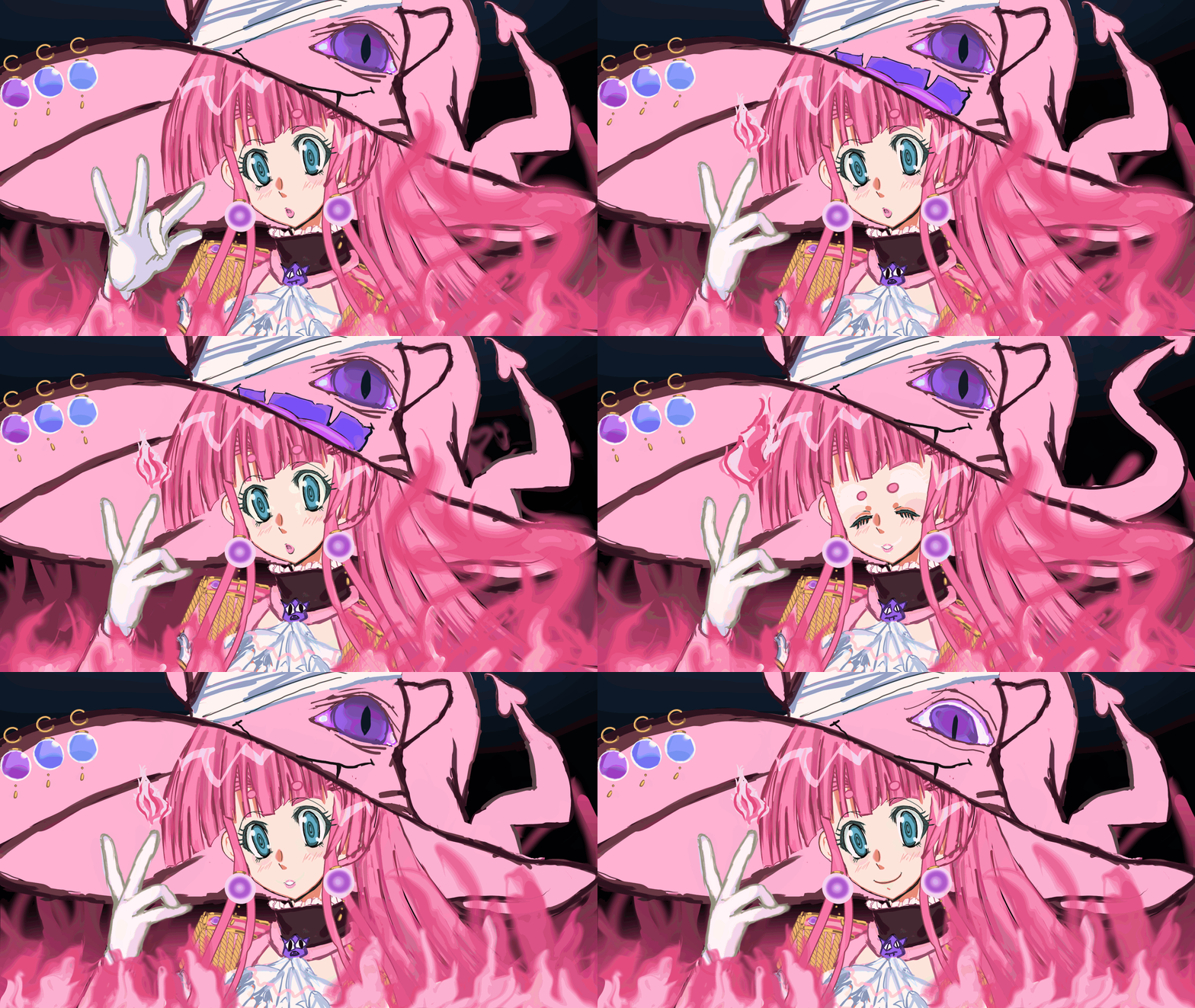
Step 3: Applying pixel qualityness!!
Once the animation was fully timed out, I applied the exact same downscaling and colour reduction technique from my previous blog post.
Troubleshooting GIF colour bleeding
When exporting directly from Aseprite, you might find that the final GIF has weird colour indexing or "bleeding" issues. This seems to be a common thing with my digital drawings, which is understandable since painting pixels manually would ideally have fewer problems (I am still learning).
To fix this, I use a simple workaround. I export the animation from Aseprite as a sprite sheet rather than a GIF. I then upload that sprite sheet to Ezgif , slice it, and compile the final GIF there. It is a quick extra step, but it works perfectly.
And there it is!!
I hope to document more of my retro graphics and pixel processes here in the future. Thank you for reading!
The final result can be found posted here:
References and Image Credits
- Game Vecanti. (2023). Concept art from Elf Corporation's Jan Jaka Jan [Tumblr Post]. Retrieved from https://gamevecanti.tumblr.com/post/729548687686156288/concept-art-from-elf-corporations-jan-jaka-jan
- decadot. (2016). Jan Jaka Jan (PC-98, Elf, 1992) [Tumblr Post]. Retrieved from https://decadot.tumblr.com/post/149885346221/jan-jaka-jan-pc-98-elf-1992
- pinkfiremage. (2025). Mingo's Fiery Powers (Animated Pixel Banner) [Digital artwork]. Released on X (Twitter) and Pixiv.
- pinkfiremage. (2025). Animating my OC's Fiery Powers (Retro Pixel Banner Timelapse) [YouTube Short]. Retrieved from https://www.youtube.com/shorts/BudAszd8KS8
- Ezgif. (n.d.). Online animated GIF maker and image editor [Web utility]. Retrieved from https://ezgif.com/